Every aptitude test vendor says the same thing: thousands of questions, instant results, fair and unbiased. Put three demos side by side and they look almost identical. The differences show up later, when a campus drive crashes under load, when the numerical test turns out to be too easy for senior roles, or when results sit in a separate system and nobody can find them. This buyer’s guide explains what aptitude test software actually does, the features that matter, the questions to ask vendors, and how to compare options, so you buy a tool that works for your hiring, not just one that demos well.
What Is Aptitude Test Software?
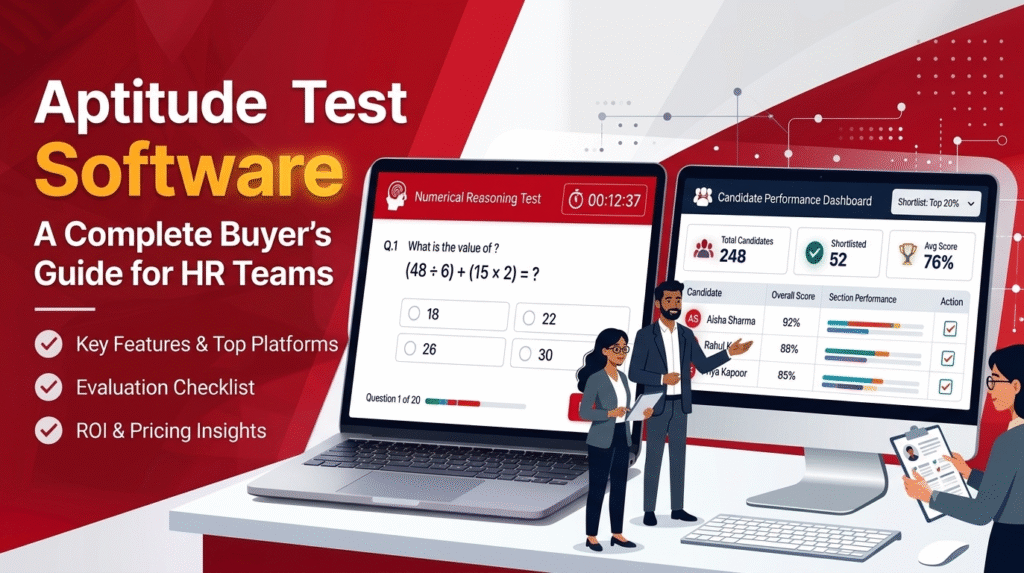
Aptitude test software lets you create, send, proctor and score online tests that measure a candidate’s reasoning ability. Most aptitude tests cover three core areas:
- Numerical reasoning: interpreting data, tables and charts, and doing calculations under time pressure.
- Verbal reasoning: understanding written information and judging whether conclusions follow from it.
- Logical reasoning: spotting patterns, following rules and solving problems, often with abstract or diagrammatic questions.
Some platforms also include role-specific aptitude tests, for example finance or technical aptitude, and let you combine them with coding tests, psychometric assessments and assignments in a single candidate journey.
Why Use Aptitude Tests in Hiring?
Aptitude tests give every candidate the same questions under the same conditions, which makes early screening far more consistent than reading resumes. Hiring research generally finds that structured cognitive ability measures are among the stronger predictors of performance in complex roles, though exact figures vary between studies and no single test should decide a hire. They work best as one input, alongside skills evidence and structured interviews. They are especially useful when you have high volumes, such as campus drives or entry-level batches, where reading every resume is not realistic.
Who Needs Aptitude Test Software?
Buyer | Typical Need |
Campus and placement teams | Large concurrent drives, quick shortlists, proctoring |
High-volume recruiters | Consistent first-round screening for many openings |
IT and services firms | Aptitude plus coding tests for fresher hiring |
BFSI and finance teams | Numerical and finance-specific aptitude |
Training institutes and colleges | Placement preparation and mock tests |
Small HR teams | Simple setup, low cost, minimal admin |
The Buyer's Checklist: What to Look For
1. Question Library and Customisation
Check how large and varied the library is, whether it covers numerical, verbal and logical reasoning, and whether you can edit questions, add your own, and set difficulty and timing by role. A graduate trainee and a senior analyst should not sit the same test. Ask how often the library is refreshed, since stale, widely shared questions are easy to look up.
2. Test Formats and Auto-Scoring
Most aptitude tests are multiple choice, so automatic scoring is a minimum. Better platforms can also score other formats, such as written answers, coding and video, which matters if you want one tool for your whole screening process. Ask whether you can review borderline results manually.
3. Proctoring and Test Integrity
Online tests invite shortcuts. Look for proctoring options, time limits, question randomisation and the ability to review flagged sessions. Ask what exactly is monitored and how the platform handles genuine technical interruptions, so honest candidates are not penalised.
4. Scale and Reliability
Ask how many candidates can test at once and request a reference from a customer with a similar volume. Campus drives have fixed dates, so a slow platform on the day is a serious risk.
5. Reporting and Benchmarking
You need more than a raw score. Look for percentile or benchmark comparisons, section-wise breakdowns, rankings, and exportable reports that hiring managers can read without specialist training. Confirm that you can set cut-offs and shortlist automatically.
6. Integration With Your Hiring Workflow
Results should flow into your applicant tracking system or HR tools. Some platforms include their own applicant tracking, which can simplify things if you do not have one. If tests live in a separate system, someone will copy data by hand, which wastes the time the tool was meant to save.
7. Candidate Experience
Clear instructions, a stable test window and reasonable timing reduce drop-offs and complaints. If possible, take the test yourself before you buy.
8. Fairness and Data Protection
Check how the vendor supports consistent, structured evaluation and how candidate data is stored, accessed and retained. Make sure this fits your company policies and the rules that apply where you hire.
9. Pricing and Support
Pricing may be per candidate, per test or per licence. Ask about setup fees, minimums, and extra costs for proctoring, reports or integrations. Find out what support is available during live drives and how fast it responds.
Feature Comparison Template
Use a simple table like this when you shortlist vendors, scoring each from 1 to 5:
Criteria | Vendor A | Vendor B | Vendor C |
Question library and customisation | |||
Formats and auto-scoring | |||
Proctoring | |||
Scale and reliability | |||
Reporting and benchmarks | |||
ATS and HR integration | |||
Candidate experience | |||
Data protection | |||
Pricing transparency | |||
Support during live drives |
Weight the rows that matter most to you. For campus hiring that is usually scale and proctoring, while for a small HR team it is often simplicity and price.
Questions to Ask Every Vendor
- Can I see a sample test and a sample report?
- How many candidates can take tests simultaneously?
- How do you handle proctoring and flagged sessions?
- Can I create custom tests by role and difficulty?
- How do results connect to my ATS?
- What does the total cost look like for my volume, including add-ons?
- What support will I get on the day of a large drive?
- Can I run a free pilot with real candidates?
Common Mistakes When Buying Aptitude Test Software
- Choosing on library size alone, without checking quality and relevance
- Using one generic test for every role and seniority level
- Treating the aptitude score as the only hiring criterion
- Skipping a pilot and discovering problems on the day of a large drive
- Ignoring candidate experience and then losing applicants
- Overlooking integration, so results end up in spreadsheets
- Comparing headline prices without checking proctoring, report and setup costs
- Setting cut-offs without checking them against real performance
How iScalePro Fits the Buyer's Checklist
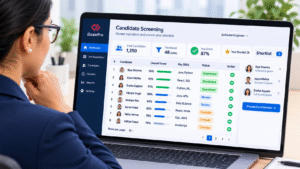
iScalePro is a talent assessment platform with a built-in applicant tracking system. It offers a question library and auto-evaluation across MCQ, Q&A, coding and video formats, and role-specific aptitude content, including a finance aptitude test covering numerical, logical and verbal reasoning. You can combine aptitude testing with skill assessments and psychometric assessments, with secure proctoring for online drives and results flowing into the Smart ATS. The platform also supports bulk candidate assessment for campus drives, and a placement aptitude mock test for students preparing for them.
Enterprise-grade assessments start at ₹50 per candidate, and you can check current pricing plans, compare the platform on the iScalePro vs Mercer Mettl page, or read about online reasoning tests on the blog.
Want to test it against your own checklist? Book a free demo with iScalePro.
It is a platform for building, delivering, proctoring and scoring online tests of reasoning ability, usually numerical, verbal and logical reasoning, so recruiters can screen candidates consistently.
Question library and customisation, auto-scoring, proctoring, ability to handle large numbers of candidates at once, clear reports, integration with your hiring workflow, and transparent pricing.
Research generally finds that structured cognitive ability measures predict performance in many roles, especially complex ones, but results vary by study and role. Use them alongside skills assessment and interviews, not on their own.
Good platforms let you set difficulty, timing and content by role. A test for trainees should differ from one for experienced analysts.
Use proctoring, time limits, randomised questions and fresh content, and follow up with shortlisted candidates in interviews. No single method is perfect.
It varies by vendor and volume. Some charge per candidate and others per licence. iScalePro lists enterprise-grade assessments from ₹50 per candidate, with current plans on its pricing page.
Yes. A small pilot on a real role shows how the tests, reports and support work in practice, and lets you compare results with your hiring managers’ judgement before a full rollout.