
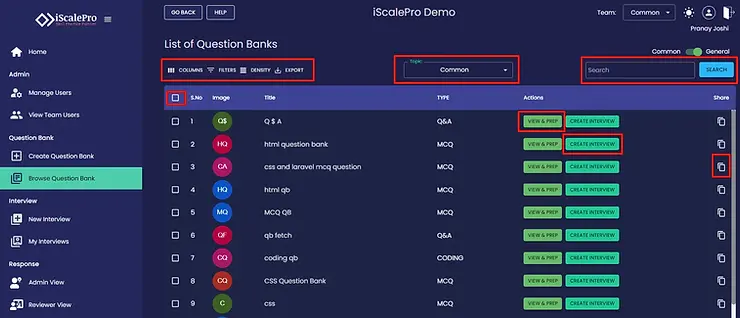
iScalePro makes it easy to find, manage, and use the perfect questions for your talent assessments. Here’s how to browse your question banks:
Access the Question Bank: In the left-hand menu, click on “Browse Question Bank.” This will open a list of all your existing question banks.

Find the Right Questions:
Filter & Sort: Use the available options to tailor your view:
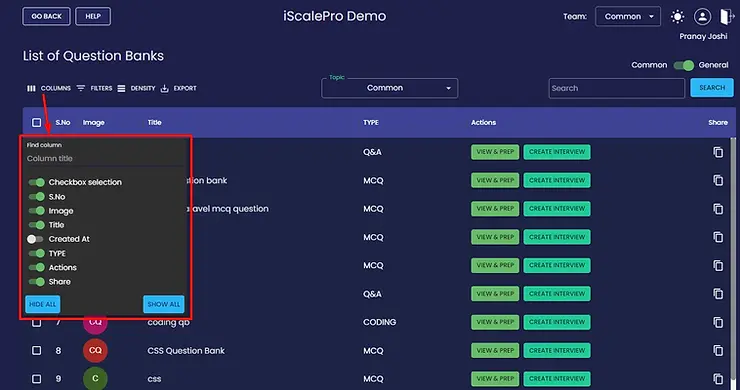
- Add or remove columns to see the most relevant information.
- Filter by specific criteria (e.g., question type, difficulty, topics).
- Sort the list alphabetically or by other parameters.


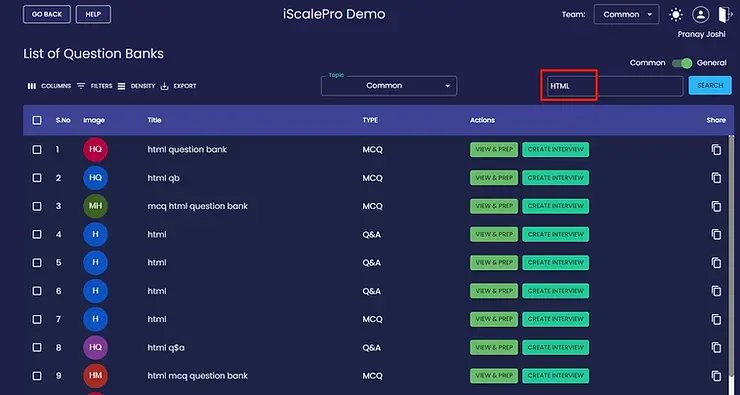
Search: If you know the name of the question bank you need, use the search bar to find it quickly.
Work with Your Question Bank: Once you’ve found the question bank you want, you have two options:
View & Edit: Click on the question bank name to open it. Here you can see all the questions it contains and make any necessary edits.

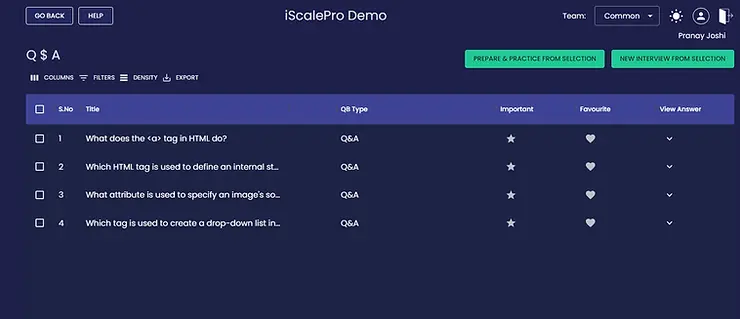
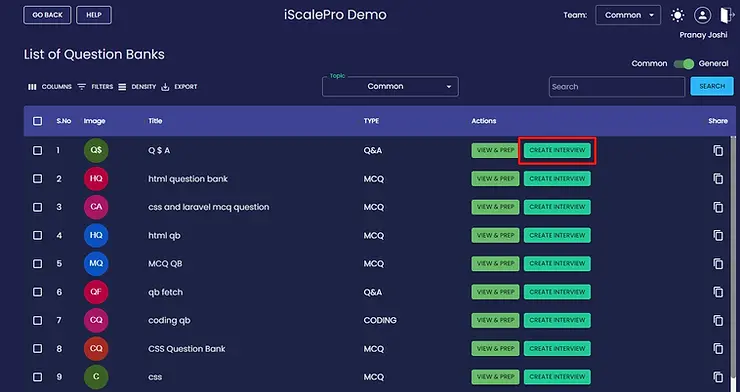
Create an Interview: If you’re ready to use these questions in an assessment, click the “Create Interview” button. This will instantly generate a new interview based on the question bank.

Additional Tips:
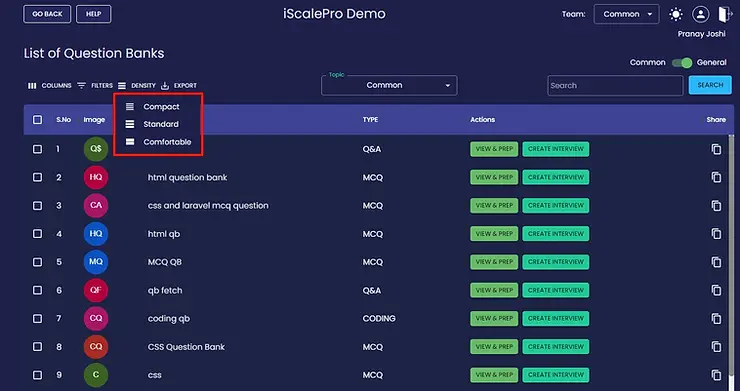
Adjust Column Density: Change how much information is displayed in each column. This helps you find what you’re looking for at a glance.
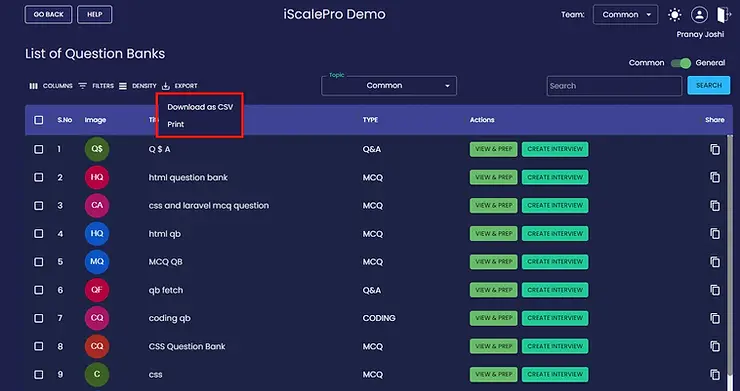
Bulk Actions: Select multiple question banks to delete or export them in one go.
Need More Help?
If you have any questions or run into any issues, please contact iScalePro support for assistance.